
iPadOS 17: Everything you need to know about the new iPad software
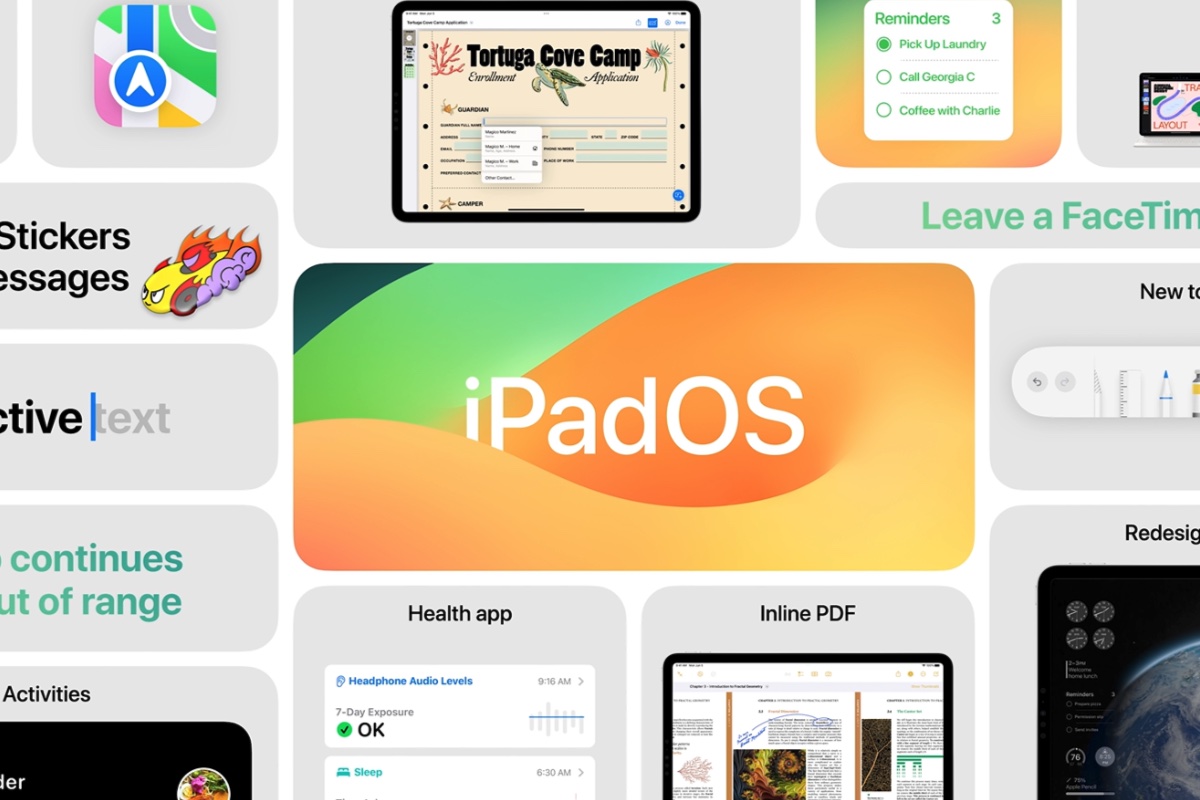
At WWDC on June 5, 2023 Apple revealed new features that are coming in iPadOS 17, among them many features that arrived on the iPhone in 2022. Later in 2023 iPad users will be able to enjoy a redesigned Lock Screen, interactive widgets, enhanced ways to work with PDFs and a redesigned Health app.
Read on for the lowdown on all the new features that iPad users will gain on their devices when the final version of the software becomes available in the fall of 2023.
iPadOS 17 release date: When will iPadOS 17 come out?
There’s no official date from Apple as yet, other than “the fall”, but it does have a pretty reliable history of releasing software versions around the same time each year, as you can see from the dates below.
- iPadOS 16: October 24, 2022
- iPadOS 15: September 20, 2021
- iPadOS 14: September 16, 2020
- iPadOS 13: September 24, 2019
With the exception of the version in 2022, which was thought to be delayed to add polish to some features, Apple always introduces a new iteration of iPadOS alongside the new version of iOS, which this year will be iOS 17. This year, according to Bloomberg’s Mark Gurman, iPadOS 17 will arrive at the same time as iOS 17 which we anticipate will arrive in the week after the iPhone launch event. We therefore predict that iPadOS 17 will arrive in the week of Monday, September 18.
To see the history of every release so far, you can read our guide to all the iOS and iPadOS versions.
iPadOS 17 beta: Latest version
In the run-up to the full release, Apple has made available beta versions of the iPadOS to those on the Apple Beta Software program. There is a developer beta and a public beta.
The latest developer beta is iPadOS 17 verison 8, released on August 29.
- June 5, 2023: iPadOS 17 is announced at WWDC, and the first developer beta is released.
- July 12, 2023: Apple releases the first public beta of iPadOS 17.
- June to September 2023: A series of additional developer and public betas appear.
- September 2023: The final public version of iPadOS 17 is released, date TBC.
iPadOS 17: How to install the beta and full version
When the final release becomes available, installing iPadOS 17 should be simple. Open the Settings app on your iPad and choose General > Software Update. It’s even easier if you’ve turned on Automatic Updates, which you can do from the same screen.
But if you don’t want to wait until September or October you can install the beta of iPadOS 17. In the run-up to the main release of iPadOS 17 Apple will be running two beta programs: one for developers and one for those who sigh up to test the public beta.
If you want to install a developer beta, you need, unsurprisingly, to be a registered Apple software developer. This costs $99 a year and will give you priority access to all of Apple’s betas, including iOS, macOS, watchOS, and tvOS. If you aren’t a developer then go for the public beta instead: these come out later than the developer betas, but they are free, and still give you bragging rights with your friends.
Apple changed the way betas are installed in iPadOS 16.4, and they are now tied to Apple IDs rather than profiles, so the process is a little friendlier than before. You can sign up to receive betas at the Apple Beta Software Program site.
It’s important to stress that betas are not finished software and are likely to contain bugs. That’s kind of the point of testing them. So be prepared for things to go wrong, maybe catastrophically, and we don’t recommend that you install a beta on your primary device. If that doesn’t put you off, follow our iPadOS beta installation guide. For more on joining the program read: How to join Apple’s beta program and try out new software.
Apple
iPadOS 17 compatibility: Which iPads will run iPadOS 17?
Apple usually does an excellent job of keeping older iPads up to date in terms of the software versions they run. When iPadOS 16 arrived, only a couple of older iPads that were running iPadOS 15 couldn’t make the transition.
For iPadOS 17 the following iPads make the cut:
- iPad Pro 12.9 (5th, 4th, 3rd and 2nd gen)
- iPad Pro 11 (3rd, 2nd and 1st gen)
- iPad Pro 10.5
- iPad (10th, 9th, 8th, 7th and 6th gen)
- iPad mini (5th and 6th gen)
- iPad Air (5th, 4th and 3rd gen)
The iPads that have been culled include:
- 2016 iPad Pro 9.7-inch (A9X chip)
- 2015 iPad Pro 12.9-inch (1st generation) (A9X chip)
- 2017 iPad (5th generation) which runs on an even slower A9 processor.
See: How long does Apple support iPads for more details.
iPadOS 17 features: What new features will we see in iPadOS 17?
Apple revealed many of the features that will be coming in iPadOS 17 at WWDC. Here’s what we know so far:
Lock screen
When iOS 16 dropped, it came with a revamped Lock Screen on which you could use widgets, dynamic images, and new fonts and colors to make the device feel far more customizable than ever. Sadly, the same capabilities didn’t make their way into iPadOS 16, but iPadOS 17 will change that.
iPadOS 17 brings a new way to personalize the Lock Screen. Users choose an image, or multiple images, to appear on the Lock Screen, this wallpaper image could be a Live Photo and Apple will synthesize additional frames to create a slow-mo effect when the iPad wakes.
There is also a Lock Screen gallery that includes Apple Watch-inspired wallpapers. Fonts and colors can be customized.
Take a look at our guide to customizing your Lock Screen in iOS 16.

Apple
Stage Manager
Apple is bringing improvements to Stage Manager, so that the size of windows can be more easily adjusted and users get more control over workspace. It will support built-in cameras on an external display.
Live Activities
You will be able to see things like sports scores, travel details, or a food delivery order, in real-time on the Lock Screen.
Keyboard
Autocorrect improvements include temporarily underlining words that have been corrected and an easy way to revert back when they are wrong!
You will also see predicted text inline as you type.
Widgets
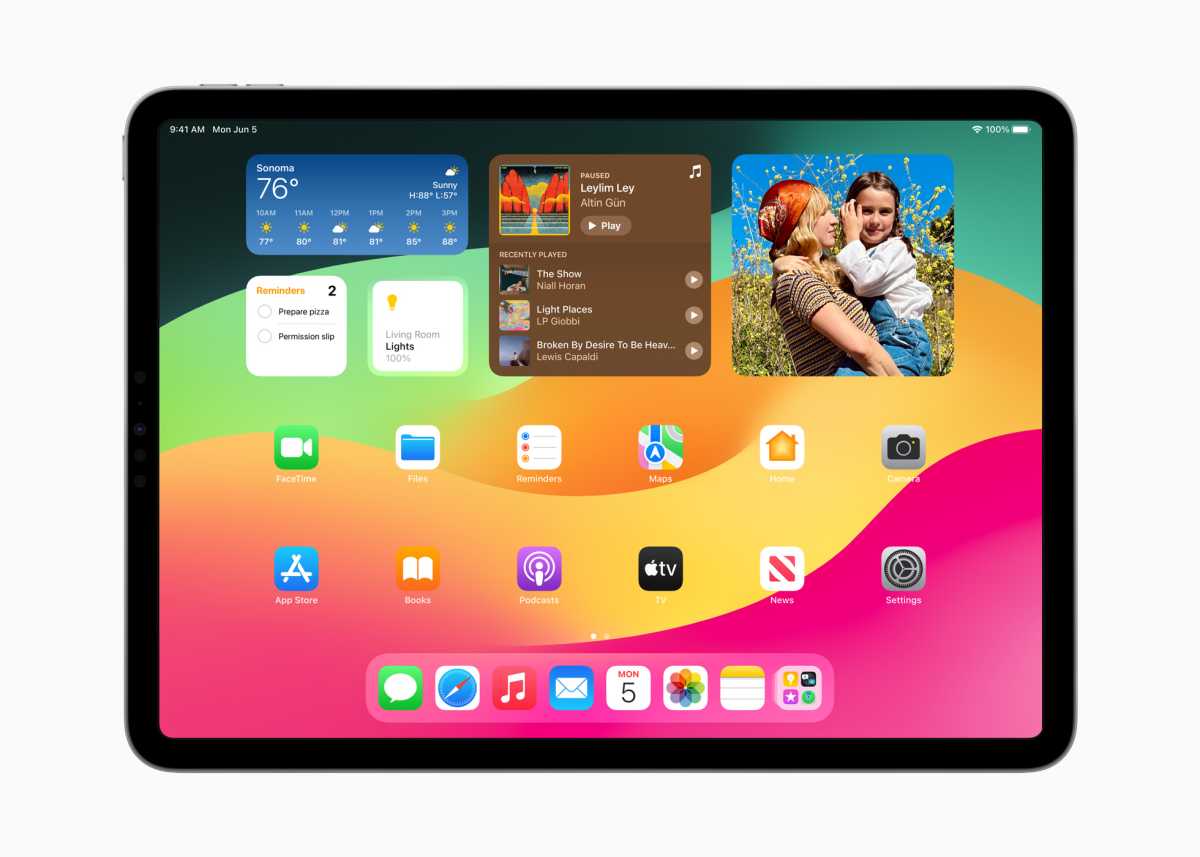
There will also be a new way to interact with Widgets on the Lock Screen. Users will be able to do things like turn on the lights or play a song just by tapping a widget.
As well as appearing on the Lock Screen, these interactive widgets can also be placed on the Home Screen, which they blend in with, according to Apple, thanks to “adaptive tinting”.
Apple
New PDF tools
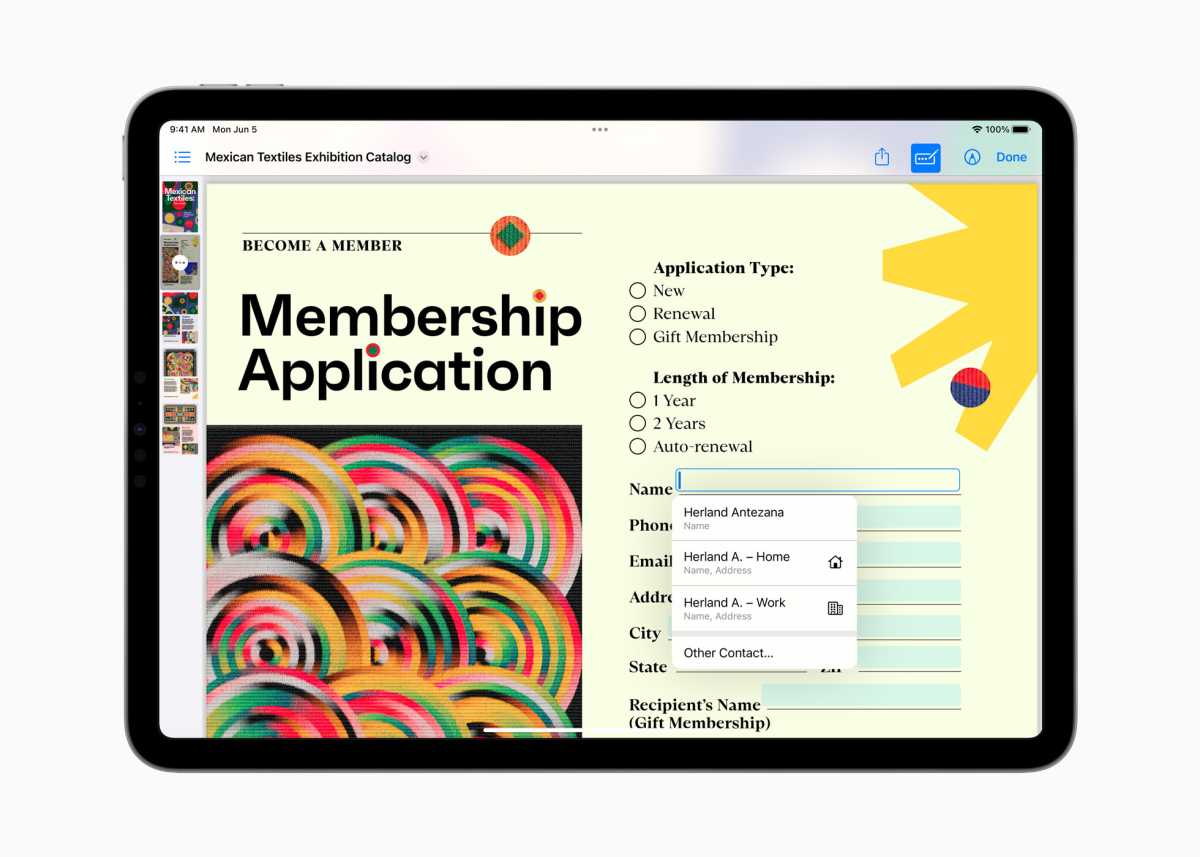
If you often work with PDFs on your iPad it’s about to get easier with AutoFill. The iPad will use machine learning to intelligently identify and fill in the fields in forms.
You will also be able to collaborate on PDFs.
Notes
Will be the place to manage PDFs and collaborate on them. Live collaboration happens in real-time. You will also be able to link related notes.
Apple
Messages
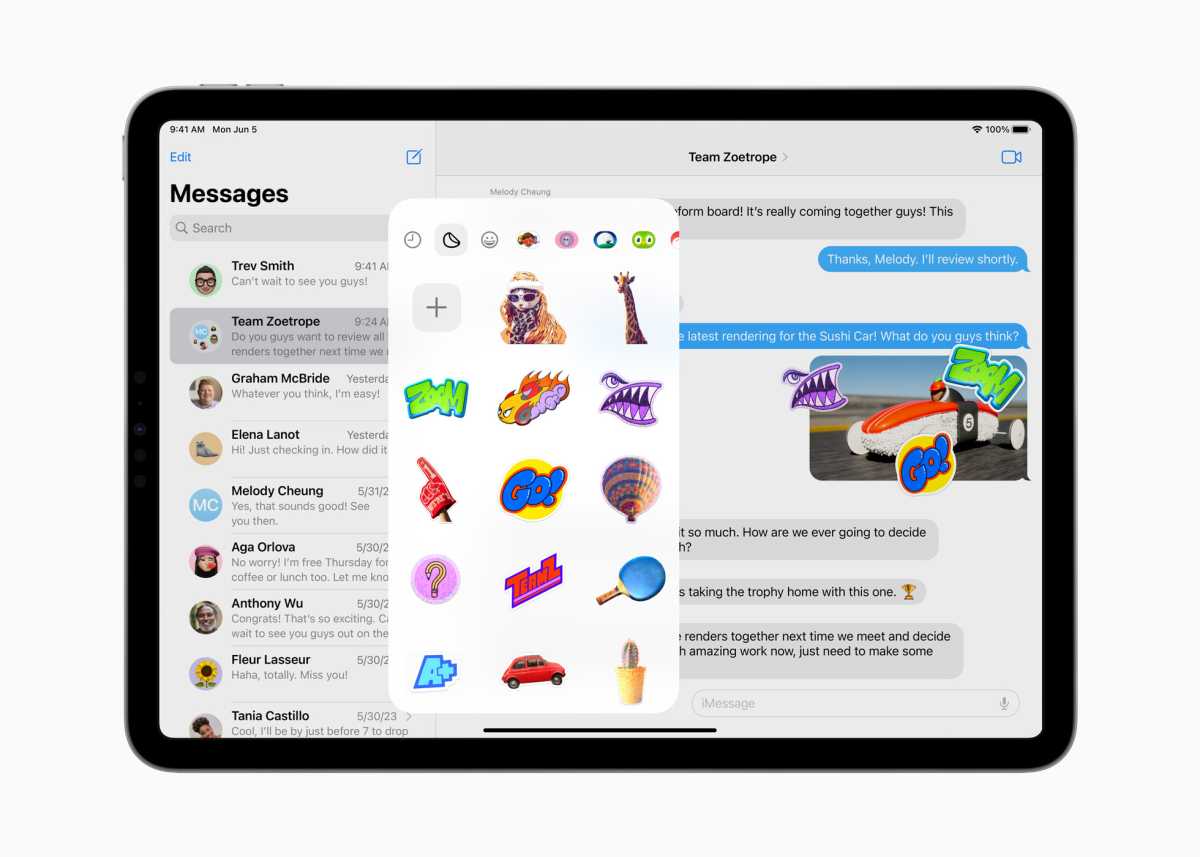
The new stickers experience that Apple showed off for iOS is also coming to iPadOS, as you’d expect. Users can lift subjects out of photos to create their own Live Stickers and add fun effects. Live stickers are available wherever you can access emoji.
Messages also gets a new expandable menu where you can see frequently used iMessage apps. You will also be able to instantly jump to the last message you missed in a group chat via a catch-up arrow. You will also be able to swipe on any message to reply.
And searching for Messages will be easier as you can finesse a search after you have started it by adding new search terms.
If you share your location on Messages the app will display your location live for the duration of your Messages conversation.
If someone sends you an audio message you will see a transcription of it.
Apple
FaceTime
You will be able to leave video and audio messages in FaceTime too.
FaceTime will also get Reactions – animations, like fireworks and balloons that appear in the background. You can trigger them with a simple gesture, like a thumbs up. These animations will be available in other video calling apps.
Now that the Apple TV will work with FaceTime you will be able to hand off a FaceTIme call from your iPad to your TV.
You will also be able to easily use an external camera for FaceTime calls.
Safari
Apple’s web browser will gain Profiles, so a user can separate work-related browsing from private browsing. Profiles can be tied to Tab Groups and Favourites.
Search in Safari will be more responsive, according to Apple, with “easier to read and more relevant suggestions”.
Security
There will also be enhancements to private browsing.
One-off verification codes that arrive in Mail will be filled in automatically.
And you will be able to securely share sets of passwords with trusted contacts.
Health app
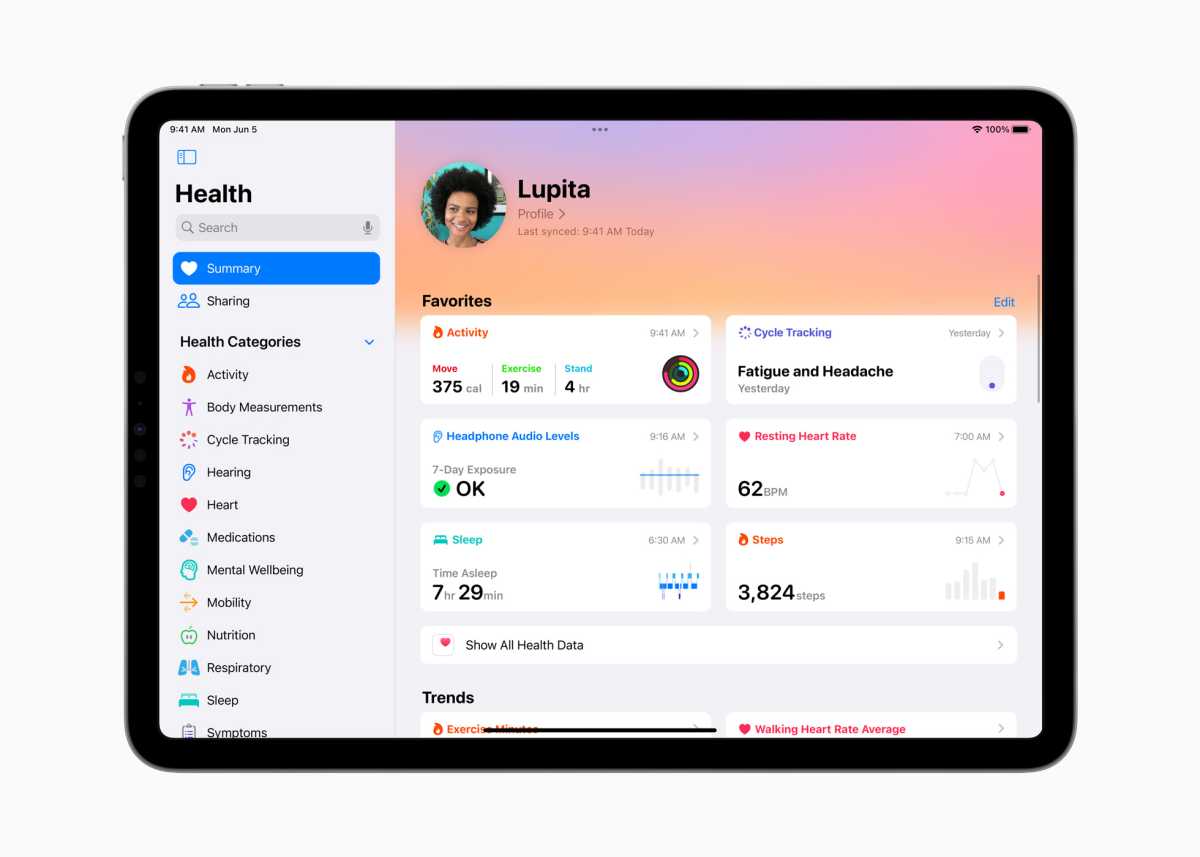
The Health app is making its debut on iPad (it’s illogical that it wasn’t there really). Thanks to the larger screen users can experience detailed interactive charts.
HealthKit will be available for developers to take advantage of the iPad screen.
New Mental health support features are also coming to the iPad as is a new feature designed to encourage children to spend more time outdoors in daylight in order to reduce the risk of myopia.
Apple
iOS 17 features
There are also a lot of features in iOS 17 that will also be coming to the iPad. Read about the iOS 17 features which include the new Journal app, improvements to AirDrop, simplifications for Siri, and more.
iPadOS 17 rumored features and wishlist
That is everything Apple announced, but there may still be features coming that we haven’t yet seen. Here are some of the features we’d like to see:
Third-party app stores
The EU has been getting up in Apple’s grill for a little while now. We’ve all heard about the iPhone’s switch from Lighting ports to USB-C that seems imminent, after the political bloc created laws to make it obligatory to use the standard in its region. We’ve even seen leaked photos that purport to show an iPhone 15 bearing a USB-C port for the first time. But there’s also another set of laws in place, called the Digital Markets Act, which impels Apple to open up its devices to third-party app stores.
Bloomberg’s Mark Gurman has reported on the story, saying it’s likely we’ll see Apple introducing third-party app stores and the ability to sideload apps in iPadOS 17. These capabilities have been available on Android for years, but it would be a huge change to the “walled garden” approach Apple has adopted since the introduction of the first iPhone.
Whether Apple users will want to take advantage of these new marketplaces remains doubtful, but at least they will now have the choice. At least they will in some countries—it’s likely that sideloading will only be available for iPhone users in Europe.
macOS for iPad
Apple’s always said it won’t happen, but Majin Bu (back in October 2022) tweeted that macOS 14 could be destined for the M2 iPad Pro.
Majin Bu doesn’t have a great track record though, and there is little evidence that Apple is working to merge the iPad and Mac lines, so it may never happen. But with Final Cut and Logic Pro now available on the iPad Pro we should never say never.
According with my source Apple would be testing a smaller version of macOS exclusively for the new iPad Pro M2!
“Mendocino” should be the codename for macOS 14. A simplified version should be planned for the M2. pic.twitter.com/f4RrainlZ1— Majin Bu (@MajinBuOfficial) October 20, 2022
Third-party browsers free from WebKit
Another potential spillover from the EU’s Digital Markets Act is allowing third-party browsers such as Chrome and Firefox to use their own engines, rather than the Apple WebKit variant that the company currently demands. This would see the other browsers behave more like their web-based versions, instantly beefing up their capabilities. We’d like to see this as it would also provoke Apple to up its game with Safari.
Better support for multiple users and accounts
Lots of people share an iPad with various family members. It’s time for Apple to allow an iPad to be set up with different profiles, like a Mac can be. This would allow an iPad to have age restrictions specific to children’s accounts.
That’s all we’ve heard so far, but obviously, we’ll keep updating this article as new information comes to light, so be sure to check back. In the meantime, take a look at our iPad buying guide to see if you can get a good deal on a new iPad that will be the home for iPadOS 17 when it arrives.
Powered by WPeMatico
https://www.macworld.com/index.rssMacworldMacworld is your best source for all things Apple. We give you the scoop on what’s new, what’s best and how to make the most out of the products you love.Technology124