

Onyx review: A must-have utility for your Mac software toolbox

At a glance
Expert’s Rating
Pros
- Powerful toolset
- Versions for older Mac operating systems readily available
Cons
- UI needs some time to learn
Our Verdict
There’s a reason Onyx has been among the tools of choice for Mac techies for such a long time. It offers a great set of tools and an incredible level of customization.
Price When Reviewed
Free
Best Prices Today
Price comparison from over 24,000 stores worldwide
Since the days of Mac OS X 10.2 Jaguar, Onyx has been in the arsenal of Mac techies to help fix Macs and assorted operating system weirdness. It’s been a long time since the heady days of 2003, and along the way, French developer Joël Barrièrehas has continuously released steady updates of the popular free customization and maintenance tool.
With Onyx at hand, permissions can be repaired, databases rebuilt, file structures reorganized, hard disk structures checked, and indexes restored. The program is excellent at digging into deeply-rooted chunks of macOS, setting and repairing Unix-level functions that would otherwise only be accessed through the Mac’s Terminal program and the command line, and rooting through odd settings to restore functionality after you’ve slogged through strange errors and weird behaviors from your Mac.
Onyx also combines a unique, bare-bones approach to its user interface while offering an incredible level of customization as to what files are affected during a repair.
Onyx is also available in a variety of flavors, with each release being geared towards a macOS operating system and its specific under-the-hood features and components: Mac OS X 10.1 Puma, Mac OS X 10.2 Jaguar, Mac OS X 10.3 Panther all the way through macOS 11 Big Sur, with a macOS Monterey version coming soon. The older versions are continuously hosted on the Titanium Software website, and readily available to download if you’re working with an old version of Mac OS X from yesteryear that needs to be repaired.
Get the know the app first
The bad news is that while Onyx is incredibly customizable and powerful, there is some room for error, and the utilitarian interface doesn’t go out of its way to explain what each component does and what changing it might do. In one of my first experiences with Onyx back years ago, I managed to reset the Recent Items menus, leaving me without quick access to recently used documents and applications, which came as a bit of a surprise.
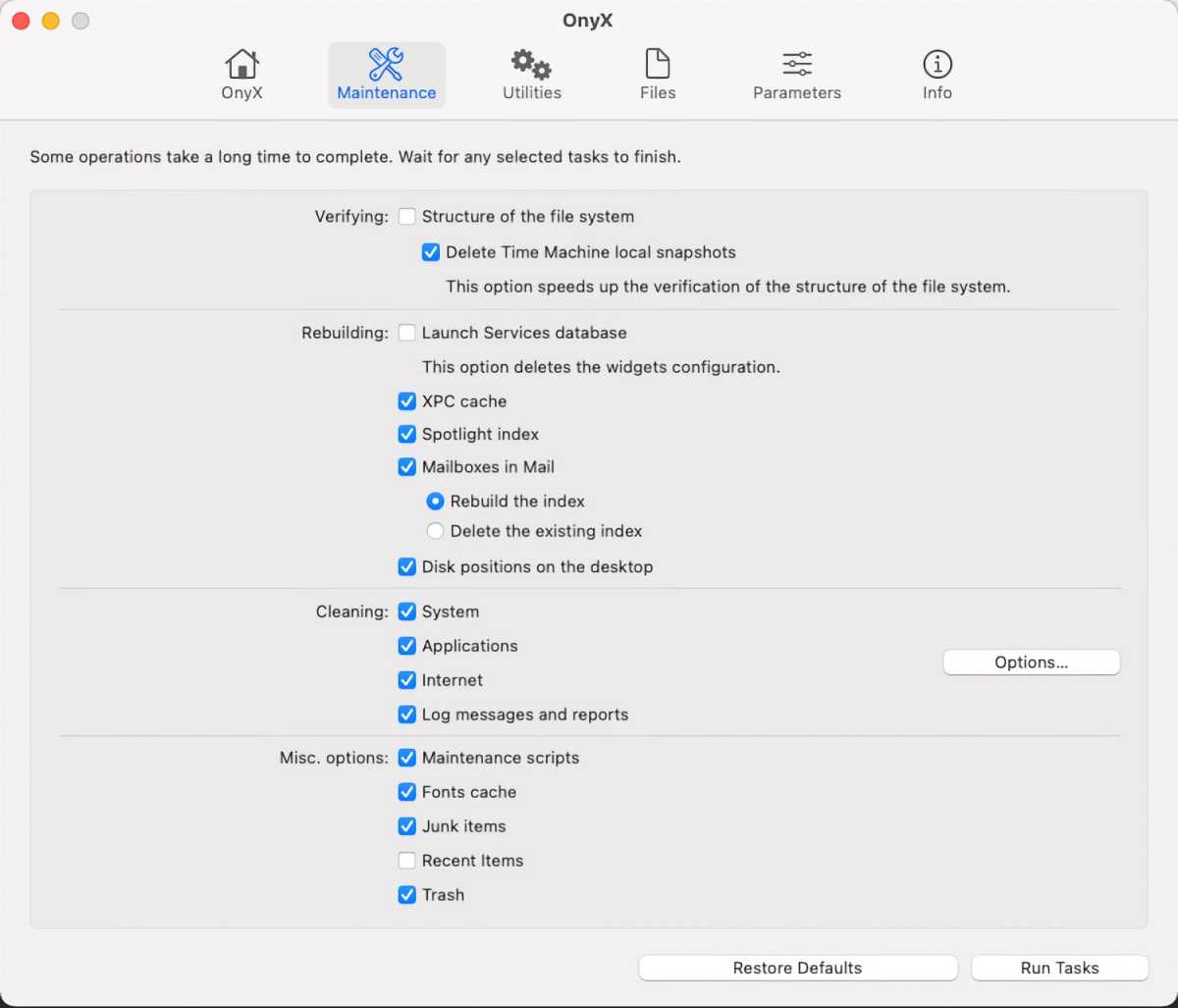
The customizable Maintenance tasks screen in Onyx.
Titanium Software
Onyx is the kind of program you research before using and given its potential reach into your operating system’s components, it behooves you to read up on it or look into some YouTube tutorial videos to get familiar with how to operate Onyx, which items to repair via clicking checkboxes in the menus, which items to avoid, and how to safely use the program. The Restore Defaults option under the Maintenance tab also comes in handy and provides an easy escape if you’ve changed a system setting and things appear to have gotten out of hand.
Onyx has never tried to be a jack of all trades like some of the other Mac utilities, nor does it go out of its way to welcome the user with a tutorial video. There are some handy FAQ links on the Titanium Software website as to common issues Onyx works to address. It’s to Joël Barrière’s credit that the program is able to dive into system components as well as it does, and Barrière’s does his homework and listens to user feedback to create an excellent freeware program while only asking for donations in return if the customer is satisfied with the product.
Bottom line
There’s a reason Onyx has been among the tools of choice for Mac techies for almost two decades now, the final program you ran on a client’s computer to clean things up before you wrapped things up. And while it may take a little research and some care before using, it’s worth trying out and perhaps adding to your selection of tools the next time you’re fixing a Mac.
https://www.macworld.com/index.rssMacworld.comMacworld is your best source for all things Apple. We give you the scoop on what’s new, what’s best and how to make the most out of the products you love.https://www.macworld.com/wp-content/uploads/2021/03/cropped-macworld-favicon.png?w=32Technology124Chris Barylick
Powered by WPeMatico